
If your website does not accept M-Pesa, you are losing Kenyan customers at the most important moment of all: checkout. Most Kenyans pay for everyday purchases with mobile money rather than cards, so a buyer who cannot pay the way they normally pay will often close the tab and buy from a competitor who makes it easier.
Adding M-Pesa payment on a website in Kenya is more straightforward than most business owners expect. You do not need to be a developer, you do not need your own Paybill, and you do not need to wait months for API approval. This guide walks you through every option available in 2026, from a simple payment link to full M-Pesa STK Push integration, with current gateway fees, so you can choose the setup that fits your business and start to accept M-Pesa payments online as quickly as possible.
For related reading, see our guides on e-commerce website design in Kenya, how to start an online business in Kenya, and using WhatsApp Business in Kenya.
Why Your Website Needs M-Pesa at Checkout
Card-only checkouts lose Kenyan buyers. Many customers do not own a credit or debit card, or prefer not to type card details into a site they have just found, yet almost every adult with a smartphone uses M-Pesa every day. A website that forces card payment is turning away a large share of the people who already want to buy.
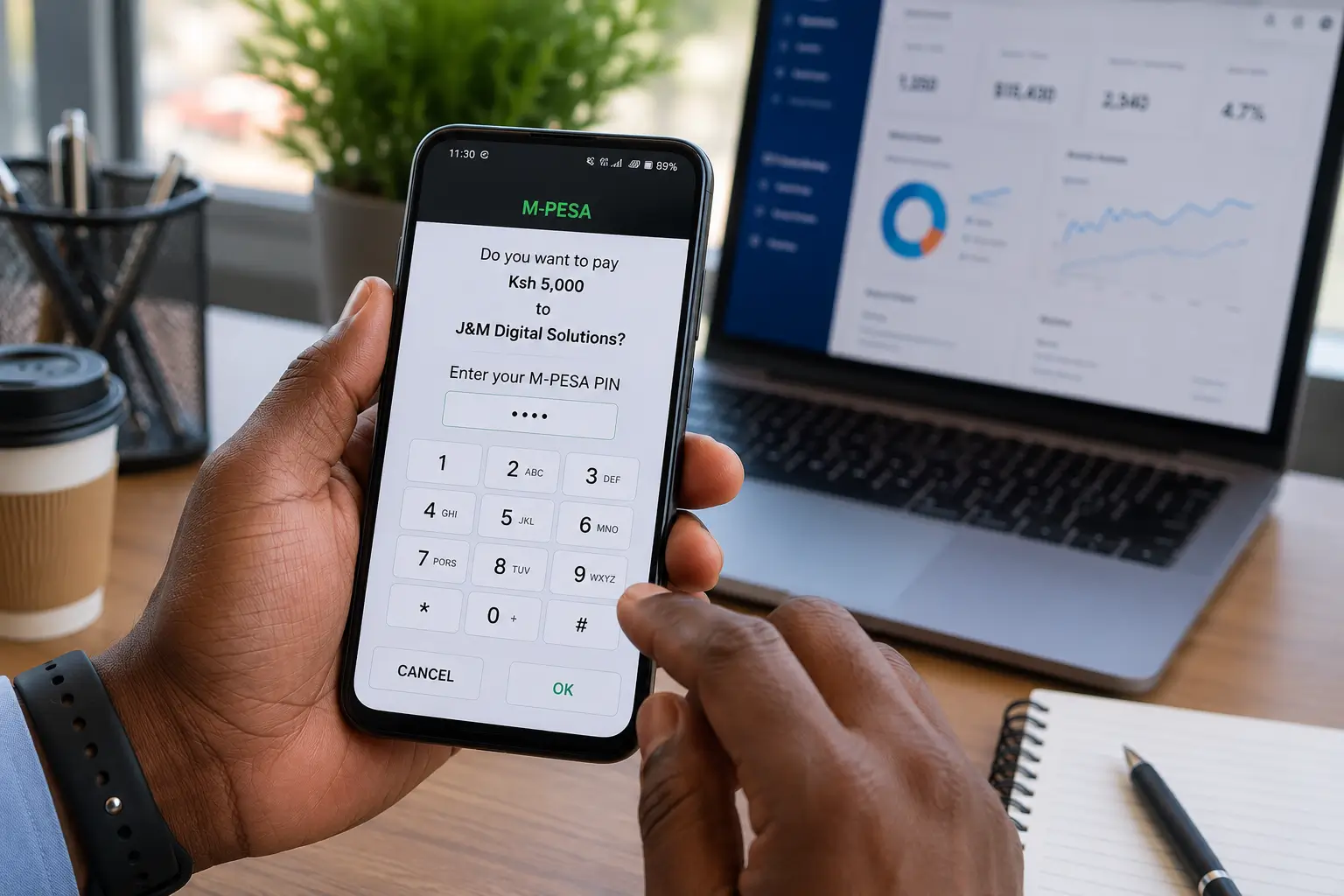
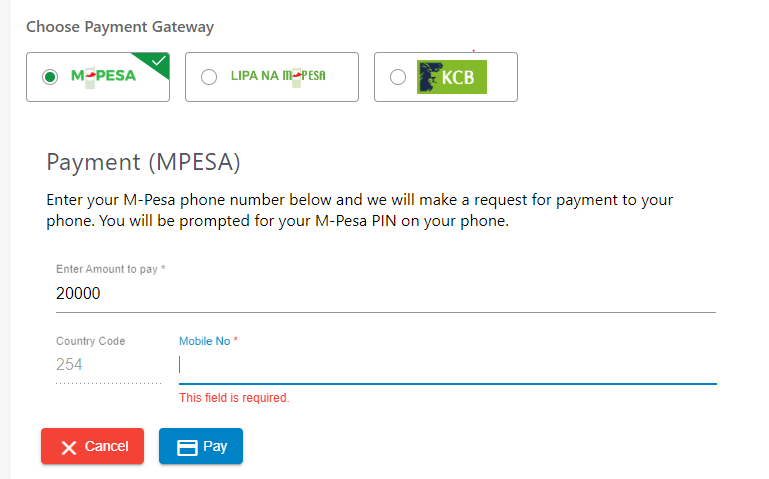
M-Pesa STK Push is the automated prompt that appears on a customer’s phone at checkout. The customer enters their phone number, receives the prompt, types their M-Pesa PIN, and the payment is confirmed automatically, usually within seconds. There are no Paybill numbers to copy, no screenshots to send, and no waiting for you to confirm manually. That is why M-Pesa payment on a website in Kenya is one of the highest return improvements an online store can make: it does not bring more traffic, it lets more of your existing visitors finish their purchase. Our guide to fixing cart abandonment in Kenya covers the other checkout leaks worth plugging at the same time.
Key insight: M-Pesa payment on a website in Kenya is a conversion fix, not a traffic fix. If people already reach your checkout and leave, adding M-Pesa is usually the first change to make.
Your 4 Options for Adding M-Pesa Payment on a Website in Kenya
There are four main ways to set up M-Pesa payment on a website in Kenya. The right one depends on your platform, your order volume, and how automated you need payments to be.
| Method | Best For | Technical Difficulty | Typical Cost |
|---|---|---|---|
| Payment gateway plugin (Pesapal, Paystack, IntaSend, Flutterwave, DPO Pay) | Most WordPress, WooCommerce and Shopify businesses that want automated STK Push | Low: plugin install and merchant account setup | About 1% to 3.5% per M-Pesa transaction, no setup fee |
| Safaricom Daraja API (direct integration) | Custom-built sites and high-volume businesses wanting full control | High: needs a developer and your own Paybill or Till | Free API access; Safaricom tariffs plus developer cost |
| Hosted payment links | Businesses selling through WhatsApp or social media, or without a website yet | None | Same per-transaction fee as the gateway |
| Manual Paybill or Till (customer pays, then sends a screenshot) | Very low order volumes, as a temporary measure only | None | Standard Lipa na M-Pesa tariffs only |
For most Kenyan website owners, a payment gateway plugin is the correct way to set up M-Pesa payment on a website in Kenya. It gives you automated STK Push without writing code, works directly with WooCommerce, and takes card payments in the same checkout. The rest of this guide covers that route first, then explains how to add M-Pesa to Shopify, custom sites, and booking systems.
Choosing a Payment Gateway in Kenya for M-Pesa
Your gateway choice decides how much M-Pesa payment on a website in Kenya costs you each month. Every payment gateway in Kenya listed below supports M-Pesa STK Push and settles the money to your bank account or wallet. Where they differ is fees, approval time, and how well their plugins work. The fees below are the published or commonly quoted rates as of October 2026; always confirm on the gateway’s own pricing page before you sign up, because rates change and larger merchants can negotiate.
| Gateway | M-Pesa fee | Fee on a KES 5,000 order | Best for |
|---|---|---|---|
| IntaSend | 1% (published) | KES 50 | Low fees, WooCommerce and Shopify stores |
| Paystack | 1.5% (published) | KES 75 | Clean dashboard, developer-friendly |
| Kopo Kopo | 1.5% plus Safaricom tariff | KES 75 plus tariff | Same-day settlement, retail and SMEs |
| Flutterwave | About 2.9% to 3.5% (indicative) | About KES 145 to 175 | Selling locally and internationally |
| Pesapal | About 3% to 3.5% (indicative) | About KES 150 to 175 | Established local brand, Airtel Money too |
| DPO Pay | Quoted per merchant | Varies | Hospitality, travel, multi-country businesses |
IntaSend
A Kenyan gateway with the lowest published M-Pesa rate on this list: 1% for STK Push and Paybill collections, with local cards at 3.5%. It offers a WooCommerce plugin, a Shopify app, payment links, and an API, which makes it a strong first choice for small stores adding M-Pesa payment on a website in Kenya on a tight budget.
Paystack
Paystack is live for all merchants in Kenya and charges 1.5% per M-Pesa payment and 2.9% per local card payment, with no setup or monthly fees. Its dashboard and documentation are among the cleanest available, and its WooCommerce plugin is reliable. If you plan to sell beyond Kenya later, Paystack is worth a close look.
Pesapal
One of the longest-running local gateways. It supports M-Pesa STK Push, Airtel Money, Visa, and Mastercard in a single checkout, and its WooCommerce plugin is free in the WordPress repository. Fees are higher than IntaSend or Paystack, but many Kenyan customers recognise the brand at checkout, which helps trust. It remains a dependable option for M-Pesa payment on a website in Kenya when brand recognition matters.
Flutterwave
Best if you sell to customers both inside and outside Kenya, since it supports M-Pesa alongside many African and international payment methods in one account. Treat quoted Kenyan M-Pesa rates as indicative and confirm your exact rate during onboarding.
DPO Pay and Kopo Kopo
DPO Pay (formerly 3G Direct Pay) suits higher volumes and businesses operating in several African countries; pricing is quoted per merchant. Kopo Kopo focuses on Lipa na M-Pesa for Kenyan SMEs, with same-day settlement into most banks, which helps if cash flow is tight.
How to Set Up M-Pesa WooCommerce Payments: Step by Step
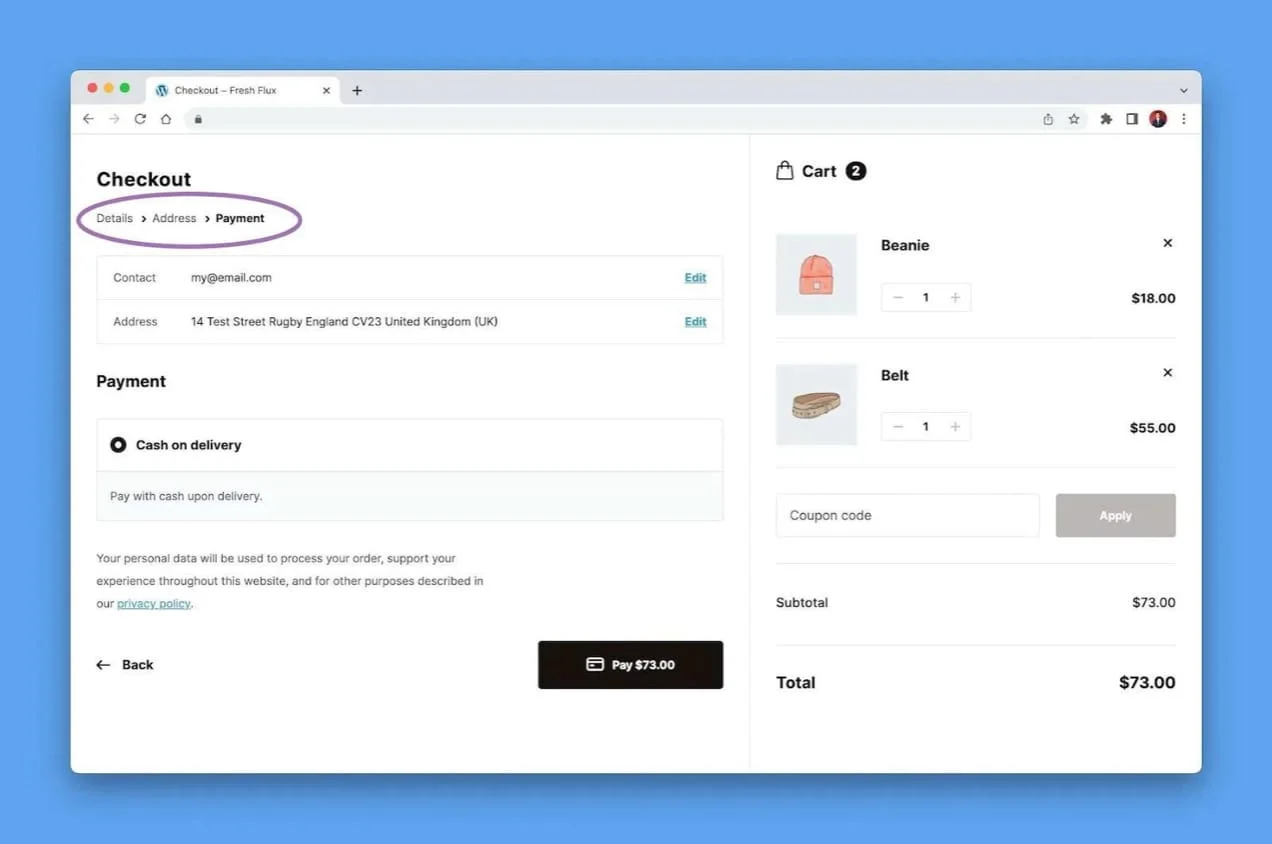
This is the fastest route to M-Pesa payment on a website in Kenya for WordPress sites. The steps below use Pesapal as the example because its plugin is free and widely used. The process is almost identical for IntaSend, Paystack, and Flutterwave: create a merchant account, install the plugin, paste your keys, and test.
Create and verify your merchant account
Register as a business merchant at pesapal.com (or your chosen gateway). You will usually need your business registration certificate, KRA PIN certificate, and a copy of your national ID. Verification typically takes one to three working days. Once approved, copy your Consumer Key and Consumer Secret from the dashboard and keep them safe.
Install WooCommerce on your WordPress website
If it is not already installed, go to Plugins, then Add New, search for WooCommerce, then Install and Activate. In the setup wizard, set your country to Kenya and your currency to KES (Kenyan Shilling). WooCommerce is free and is the standard store layer for M-Pesa payment on a website in Kenya built on WordPress.
Install your gateway’s M-Pesa WooCommerce plugin
Go to Plugins, then Add New, and search for your gateway’s plugin, for example “Pesapal for WooCommerce”. Install and activate it, then open WooCommerce, then Settings, then Payments, and click to set up the new payment method. Menu names can shift slightly between plugin versions.
Enter your API keys and configure the IPN
Paste your Consumer Key and Consumer Secret, switch the environment to “Live”, and enable M-Pesa STK Push. Then copy the IPN (callback) URL from the plugin settings and paste it into your gateway dashboard. The IPN URL is what tells your website a payment succeeded, so orders update automatically.
Test with a real payment
Place a small real order, such as KES 10, using your own phone. Confirm the STK Push prompt appears, the payment goes through, and the WooCommerce order moves to “Processing” on its own. This two-minute test catches almost every setup error before a customer does.
Important: Always test M-Pesa payment on a website in Kenya with a real transaction before sending customers to your checkout. The most common fault is a wrong IPN URL, which leaves orders stuck on “Pending” even though the customer has paid.
Adding M-Pesa to Shopify, Custom Sites and Booking Systems
WordPress is the most common platform for Kenyan business websites, but not the only one. Here is how to get M-Pesa payment on a website in Kenya on other platforms.
Shopify
Shopify does not offer M-Pesa natively, but you can add it through a gateway app. IntaSend publishes a Shopify app in the Shopify App Store, and other gateways offer Shopify options too, so Shopify owners can still offer M-Pesa payment on a website in Kenya. You install the app, connect your merchant account, and M-Pesa STK Push appears at checkout next to cards. Check the App Store listing for current Kenyan support before you commit.
Custom-built websites and the Safaricom Daraja API
If a developer built your site in PHP, Laravel, Node.js, or another framework, you have two routes to M-Pesa payment on a website in Kenya. The first is a gateway API or SDK from IntaSend, Paystack, Pesapal, or Flutterwave, which is quicker and handles cards as well. The second is direct M-Pesa STK Push integration through the Safaricom Daraja API, which removes the gateway’s percentage but needs your own Paybill or Till number.
With the Safaricom Daraja API, your developer creates an account at developer.safaricom.co.ke, builds and tests against the sandbox, then applies to go live with your shortcode. The core flow is: request an OAuth access token, call the STK Push (Lipa na M-Pesa Online) endpoint with the amount and phone number, and receive the result on a secure callback URL that updates the order. Your developer must also handle timeouts and cancelled prompts, and should confirm each payment against the callback rather than trusting the browser.
Direct M-Pesa STK Push integration makes most sense once your monthly volume is high enough that gateway fees outweigh the cost of building and maintaining your own integration. You still pay Safaricom’s standard Lipa na M-Pesa tariffs, and you will only accept M-Pesa unless you add a card processor separately.
Wix and Squarespace
Support for Kenyan gateways on Wix and Squarespace is limited and changes often, so check each platform’s payment settings for your plan before you build. If you cannot accept M-Pesa payments online on your current builder, moving to WordPress gives you access to every gateway in this guide. Our WordPress vs Wix comparison for Kenya explains the trade-offs.
Payment links (no website needed)
If you sell mainly through WhatsApp, Instagram, or TikTok, you can accept M-Pesa payments online without a full checkout. IntaSend, Pesapal, Paystack, and Flutterwave all let you create a payment link, set the amount, and share it in a chat. The customer opens a secure hosted page and pays by STK Push or card. See our guide to social commerce in Kenya for how to sell this way. Links are a good start, but full M-Pesa payment on a website in Kenya builds more trust and brings in search traffic over time.
Booking and appointment systems
Salons, clinics, consultants, and tour operators can take deposits by M-Pesa at the point of booking, which cuts no-shows and is one of the most practical uses of M-Pesa payment on a website in Kenya. On WordPress, booking plugins such as Amelia or WooCommerce Bookings use the same gateway as your main checkout, so the M-Pesa WooCommerce setup above covers bookings too. On other booking tools, embed a gateway payment page or payment link in the confirmation step.
What Changes When You Add M-Pesa STK Push
From card-only to M-Pesa: what to measure
Every store responds differently to M-Pesa payment on a website in Kenya, so rather than promise a number, here is what to track in Google Analytics or your WooCommerce reports for 30 days before and 30 days after you switch on M-Pesa:
- Checkout completion rate: the share of people who reach checkout and actually pay. This is where M-Pesa makes the biggest difference.
- Share of orders paid by M-Pesa: shows how many buyers prefer mobile money once it is offered.
- Orders stuck on “Pending”: should be close to zero. If not, check your IPN or callback URL.
- Customer messages about payment: these usually fall sharply once buyers no longer need to send screenshots.
To get the most from M-Pesa payment on a website in Kenya, show the M-Pesa logo clearly at checkout, add a one-line “Pay with M-Pesa: enter your number and approve on your phone” note for first-time buyers, and keep cards available for customers who prefer them. To budget the full build, see our guide to e-commerce website cost in Kenya.
Common M-Pesa Website Integration Mistakes in Kenya
Most problems with M-Pesa payment on a website in Kenya come from a handful of setup errors. Here is how to avoid them.
| Mistake | Why it hurts you | How to fix it |
|---|---|---|
| Sandbox credentials left on the live site | Payments appear to work but no money is collected; orders stay pending | Switch the plugin to “Live” and use production keys |
| Wrong or missing IPN / callback URL | Orders do not update after payment, and customers think their payment failed | Copy the exact URL from your plugin and paste it into the gateway dashboard |
| Store currency not set to KES | STK Push requests the wrong amount, or payments fail | Set the currency to KES under WooCommerce, then Settings, then General |
| No test transaction before launch | Your first real customer finds the problem for you | Run a KES 10 test payment from your own phone |
| Manual Paybill only | Customers must leave your site, pay by hand, and send a screenshot, so many give up | Move to automated STK Push through a gateway |
| Choosing a gateway on fees alone | A cheap gateway with a weak plugin or slow support can cost more in lost orders | Compare plugin reviews, settlement times, and support before you sign up |
| No M-Pesa logo at checkout | Buyers assume the store is card-only and leave | Turn on payment icons and place the M-Pesa logo above the fold |
Get M-Pesa Integrated on Your Website by J&M Digital Solutions
Setting up M-Pesa payment on a website in Kenya is simple when you know the steps, but small errors such as a wrong IPN URL, sandbox keys left on, or a currency mismatch cause payment failures that frustrate you and your customers.
At J&M Digital Solutions, we handle M-Pesa STK Push integration as part of our WordPress website design service and our e-commerce website design service. Whether you need M-Pesa added to an existing site or a new store built with it from day one, we take care of every part of M-Pesa payment on a website in Kenya: setup, testing, and handover.
- Help choosing the right payment gateway in Kenya for your fees, volume, and platform
- M-Pesa WooCommerce setup through IntaSend, Paystack, Pesapal, Flutterwave, or DPO Pay
- Shopify and custom-site integration, including the Safaricom Daraja API for high-volume stores
- IPN and callback configuration, plus full payment testing before handover
- Card payments alongside M-Pesa for complete checkout coverage
- Ongoing support for payment issues, plugin updates, and gateway changes
Ready to Accept M-Pesa on Your Website?
Stop losing customers at checkout. We set up your gateway, connect M-Pesa, and test every step so your store is ready to accept M-Pesa payments online.
Phone / WhatsApp: +254 769 604 780
Website: jmdigitalsolutionske.com
Service area: Serving businesses across Kenya
Frequently Asked Questions
Do I need my own Safaricom Paybill to add M-Pesa to my website?
Not if you use a gateway. IntaSend, Paystack, Pesapal, and Flutterwave collect M-Pesa through their own shortcodes and settle the money to your bank account or wallet. You only need your own Paybill or Till if you integrate directly with the Safaricom Daraja API. For most businesses, a gateway is the simplest path to M-Pesa payment on a website in Kenya.
How long does it take to set up M-Pesa payment on a website in Kenya?
The technical setup takes two to four hours on a typical WordPress site. Your chosen gateway’s account approval usually takes one to three business days, so plan for about three to five business days from application to live payments.
Which is the best payment gateway in Kenya for M-Pesa?
It depends on what matters most. IntaSend has the lowest published M-Pesa fee at 1%. Paystack (1.5%) has an excellent dashboard and plugin. Pesapal is a well-known local brand that also supports Airtel Money. Flutterwave suits businesses selling internationally, and DPO Pay suits hospitality and multi-country operations.
Can I accept M-Pesa without WooCommerce?
Yes. Shopify stores can use a gateway app, custom sites can use a gateway API or the Safaricom Daraja API, and booking tools can embed a hosted payment page. If you do not have a website yet, payment links shared on WhatsApp or social media work too.
How much does it cost to accept M-Pesa payments online?
Gateways charge per transaction with no monthly fee. As of October 2026, IntaSend publishes 1% and Paystack 1.5% for M-Pesa, while Pesapal and Flutterwave are commonly quoted at about 3% to 3.5%. On a KES 5,000 order, that is roughly KES 50 with IntaSend, KES 75 with Paystack, and KES 150 to 175 with Pesapal or Flutterwave. Confirm current rates on each gateway’s pricing page.